Inventory Cost Workflow
The Inventory Cost Workflow feature delivers intelligent control over high-value transactions within inventory operations—making it a key tool for organizations focused on accuracy, governance, and cost containment.
Overview
The Add Cost Amount to Inventory Workflow feature provides the ability make the Inventory Cost Amount field enabled for use in an Inventory workflow. For example, if an order has a cost amount > $xx, it could be sent for approval in an inventory workflow that you create.
Setup
Important
The modifications to the selected Inventory workflow must be made in each environment.
In Inventory management workflows, click New from the menu.
Select an Inventory workflow. In this example, we selected the workflow for the Inventory Adjustment Journal.
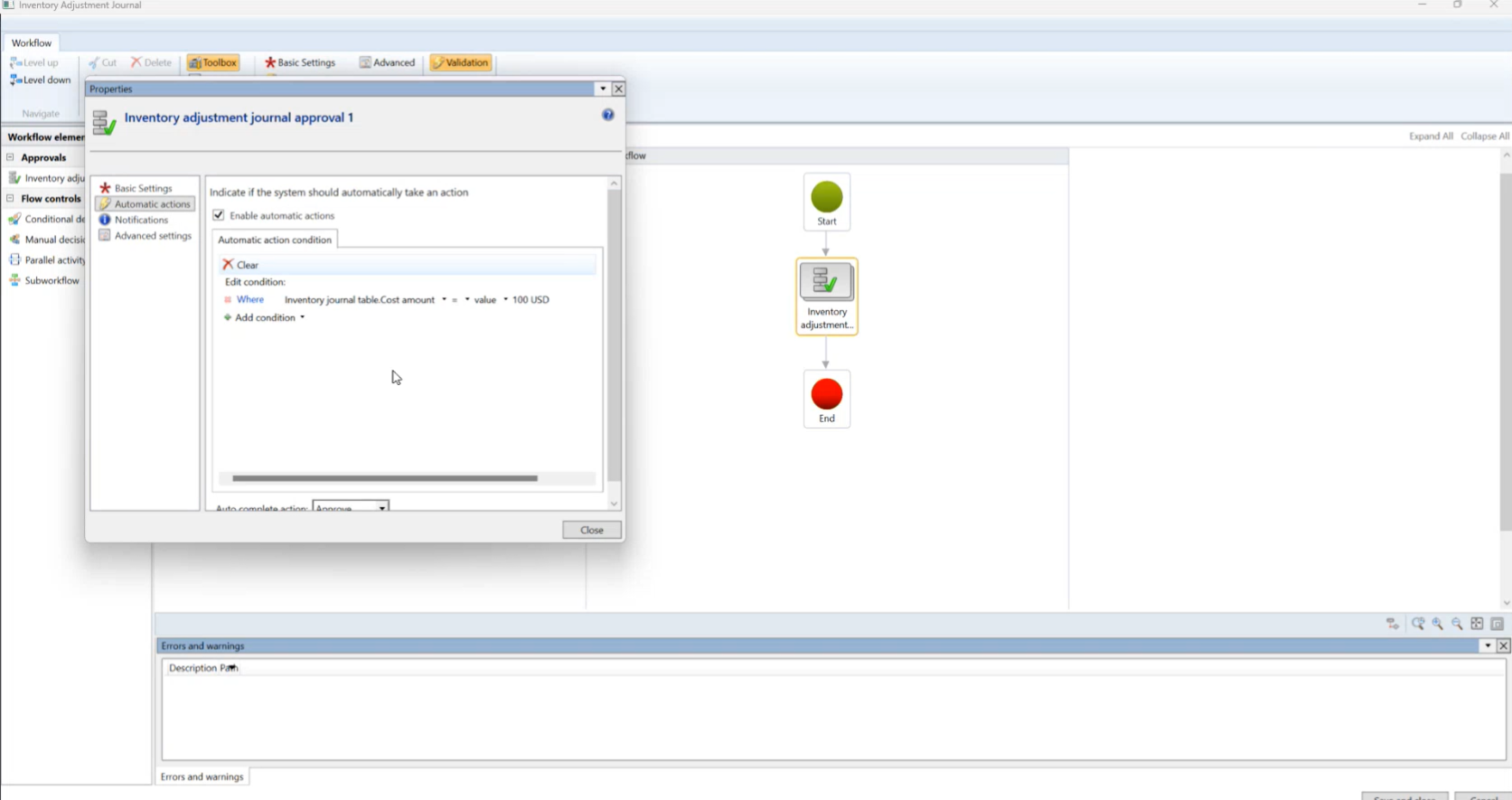
Click Basic Settings and add the Inventory Journal table Cost amount field as a Automatic action condition within the workflow, and add a condition and value.
In this scenario, you specify what the cost amount should be that would require workflow approval. For example, if the Inventory Cost amount is > (greater than) $100.00.