AXIO Distribution - Enable cross site allocation
Overview
The Enable cross site allocation feature
Setups
Enable cross site allocation
To enable Cross site allocation feature:
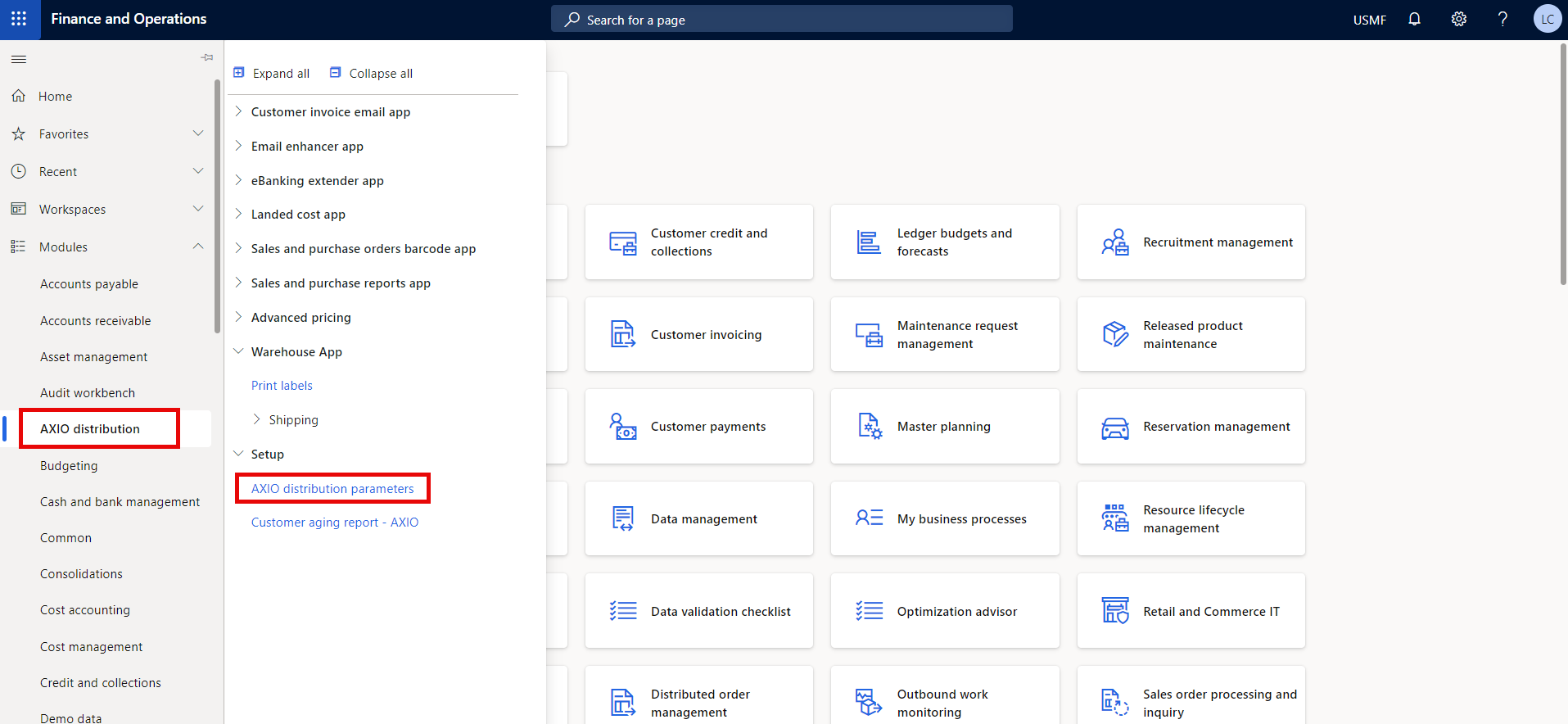
Navigate to AXIO distribution > Setup > AXIO distribution parameters > Advance warehouse.
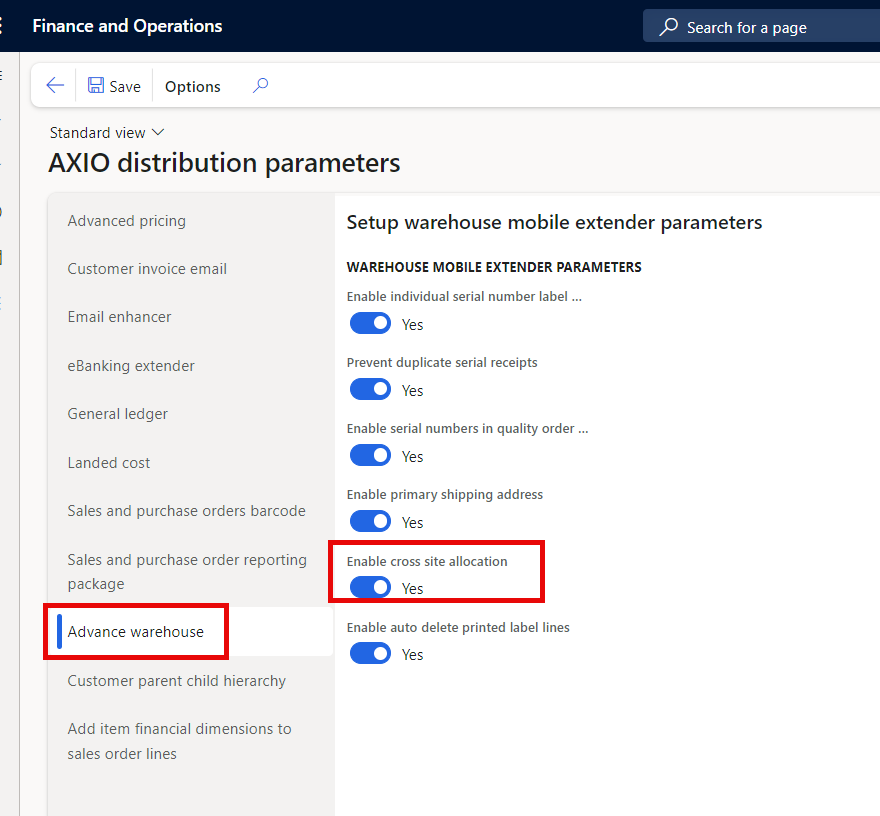
Set Enable cross site allocation Boolean to On.
Cross site allocation matrix
Complete the Cross site allocation matrix to designate which warehouses will be used to fulfill orders when insufficient quantities exist in the sales order warehouse.
The system uses the established hierarchy within this page to prioritize warehouses for fulfilling sales order quantities. If the warehouse listed on the sales order lacks sufficient quantity, alternative warehouses from this page are automatically considered when cross site allocation is enabled. Example:
First, it will determine if sufficient quantity exists for the full Item quantity in the warehouse specified on the sales order line. If it does, it will fulfill the order from that warehouse.
If not, it will determine if sufficient quantity exists in Alternate warehouse 1 for the full Item quantity specified on the sales order line. If so, it will fulfill the order from that warehouse.
If not, it will determine if sufficient quantity exists in Alternate warehouse 2 for the full Item quantity specified on the sales order line. If so, it will fulfill the order from that warehouse.
If not, it will determine if sufficient quantity exists in Alternate warehouse 3 for the full Item quantity specified on the sales order line. If so, it will fulfill the order from that warehouse.
Important
The system will not pull partial quantities, so if there is an order for 15 of an Item in the warehouse specified on the sales order, but only 5 exists in that warehouse, it will not pull the 5 from that warehouse. It will move to the Alternate warehouse that has the full 15 available for the order.
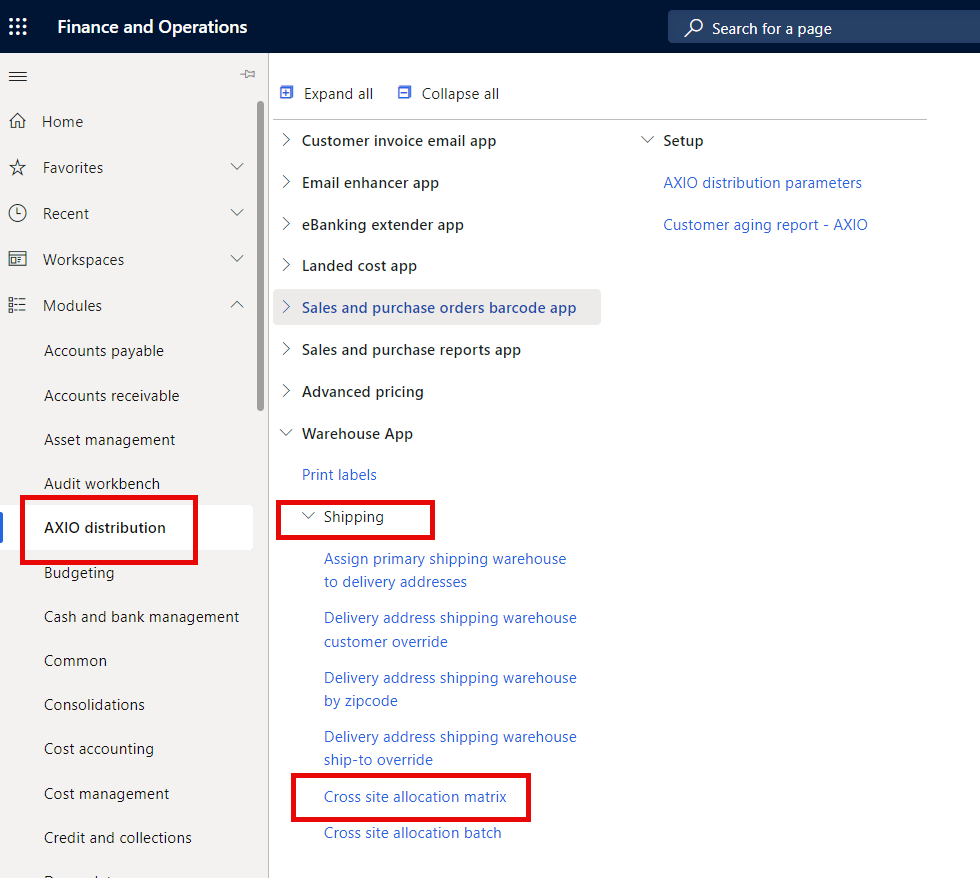
Navigate to AXIO distribution > Shipping > Cross site allocation matrix.
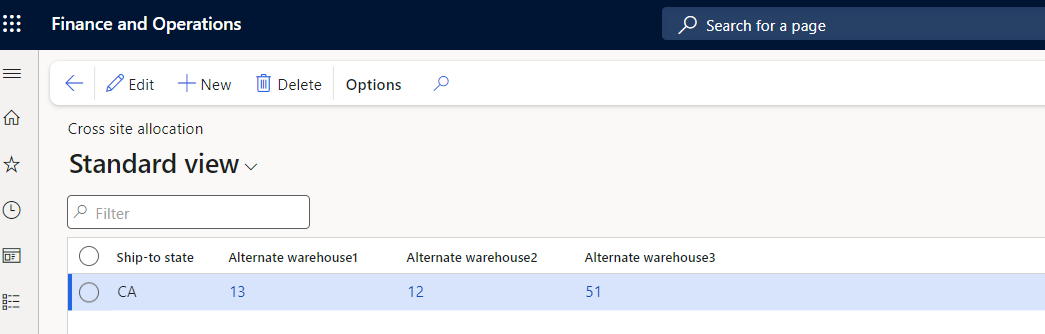
| Field Name | Description |
|---|---|
| Ship-to-state |
Specify the state from the sales order for the cross site allocation. |
| Alternate warehouse 1 | Specify the first alternate warehouse from the drop-down list that the system should look to for quantities if insufficient quantities exist in the warehouse selected on the sales order. |
| Alternate warehouse 2 | Specify the second alternate warehouse from the drop-down list that the system should look to for quantities if insufficient quantities exist in the warehouse selected on the sales order. |
| Alternate warehouse 3 | Specify the third alternate warehouse from the drop-down list that the system should look to for quantities if insufficient quantities exist in the warehouse selected on the sales order. |
Cross site allocation batch
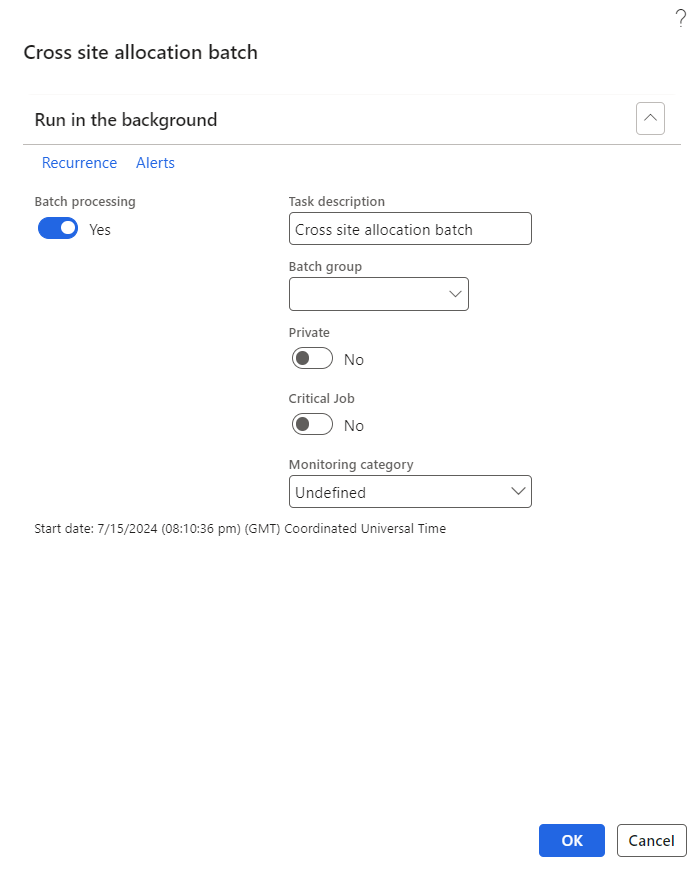
The Cross site allocation batch process must be run to have the system run the cross site allocation process.
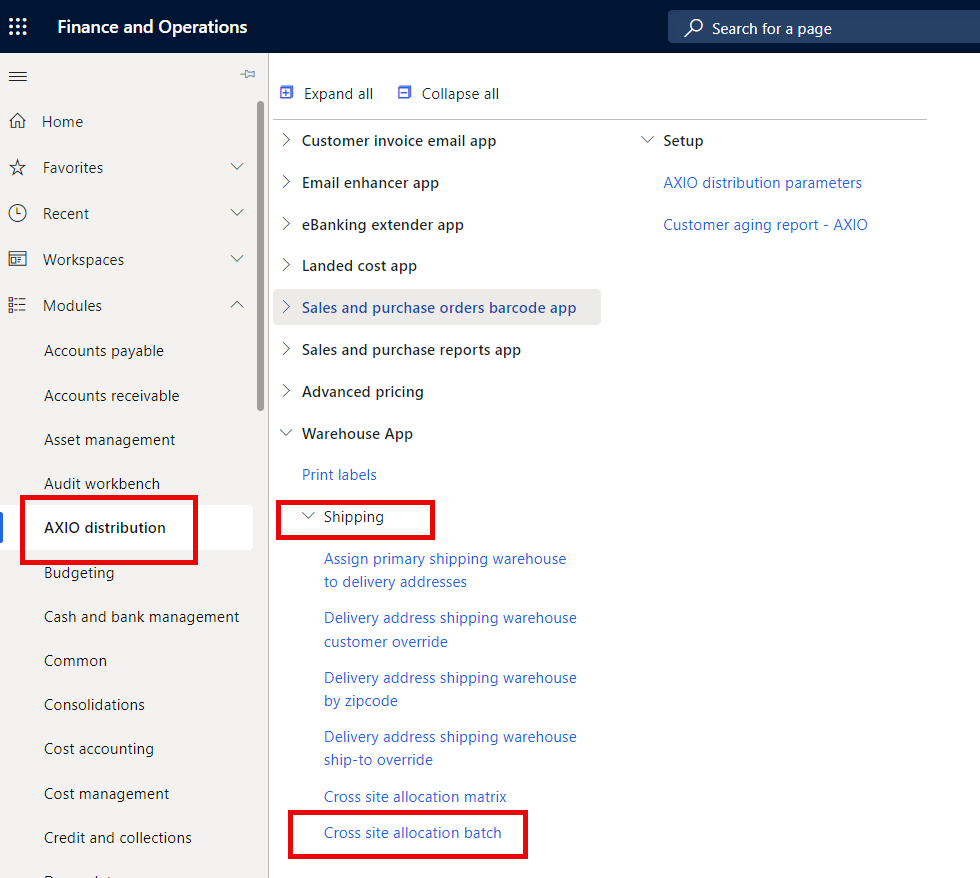
Navigate to AXIO distribution > Shipping > Cross site allocation batch.