AXIO Finance - Billing Method Parameters
AXIO Billing methods enables:
- The ability to define a Billing method for each Customer.
- Billing methods includes sending billings by email or print.
- When invoicing, the Billing method defaults from the Customer but is editable.
Setup Billing methods
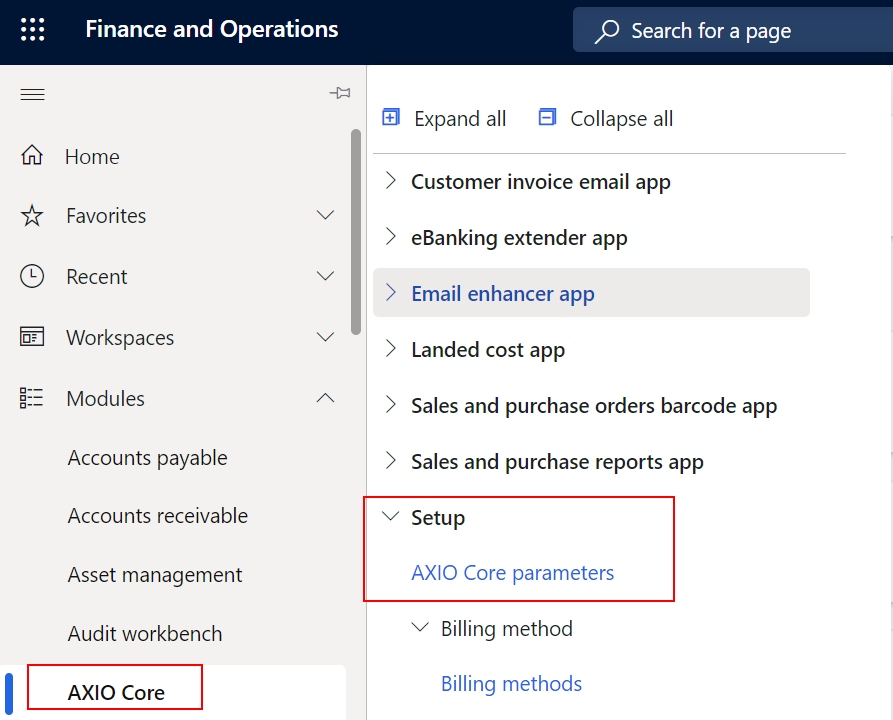
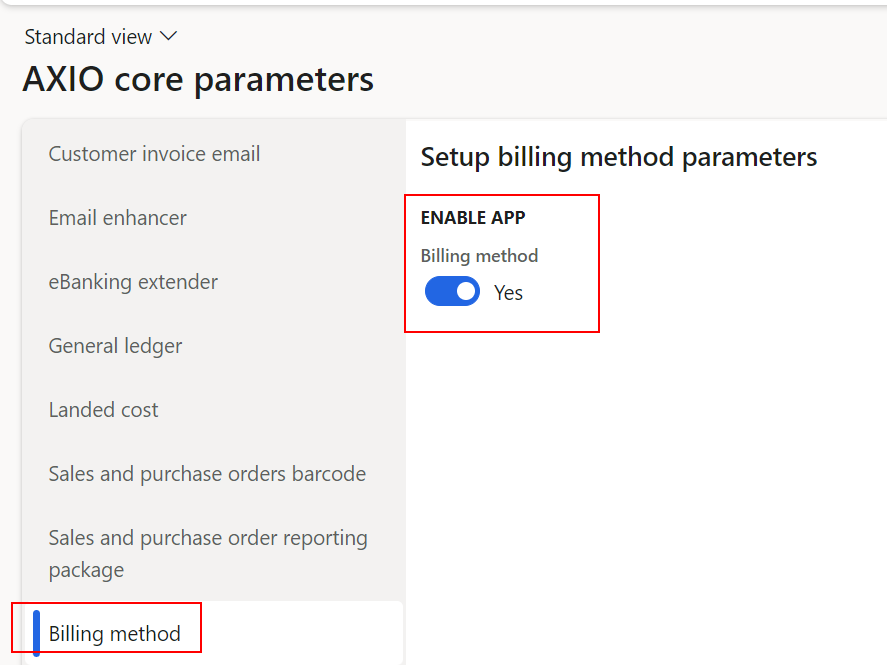
Navigate to AXIO Core > AXIO Core Parameters > Billing method. Set the Boolean to "true" to enable the Billing method feature.
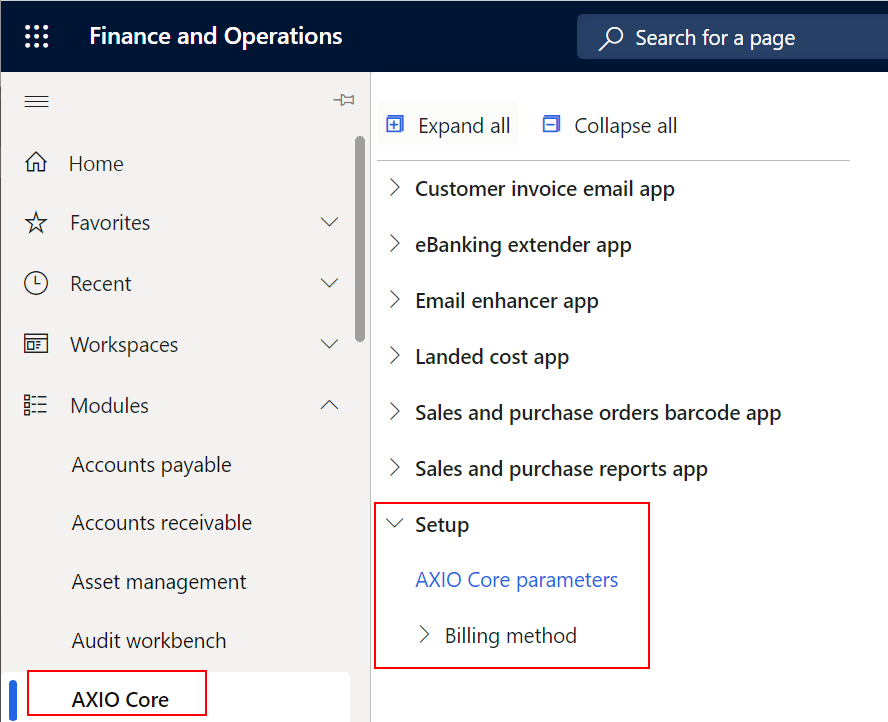
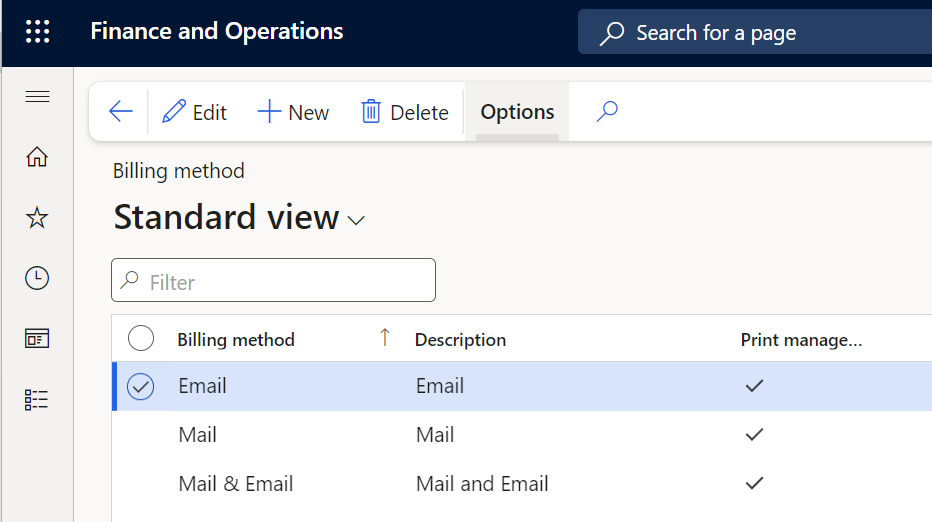
Billing Methods can be added to, viewed, modified, or deleted in the Billing method page:
| Field Name | Description |
|---|---|
| Billing method | Specifies a unique identifier for the Billing method, such as Email, Mail, or Mail and Email. Defines how the invoice will be delivered to the Customer. |
| Description | Specifies information to describe the Billing method. |
| Print management allowed | Specifies whether the Billing method will be activated for use with invoicing. If this is not selected, the Billing method will not be available for use. |
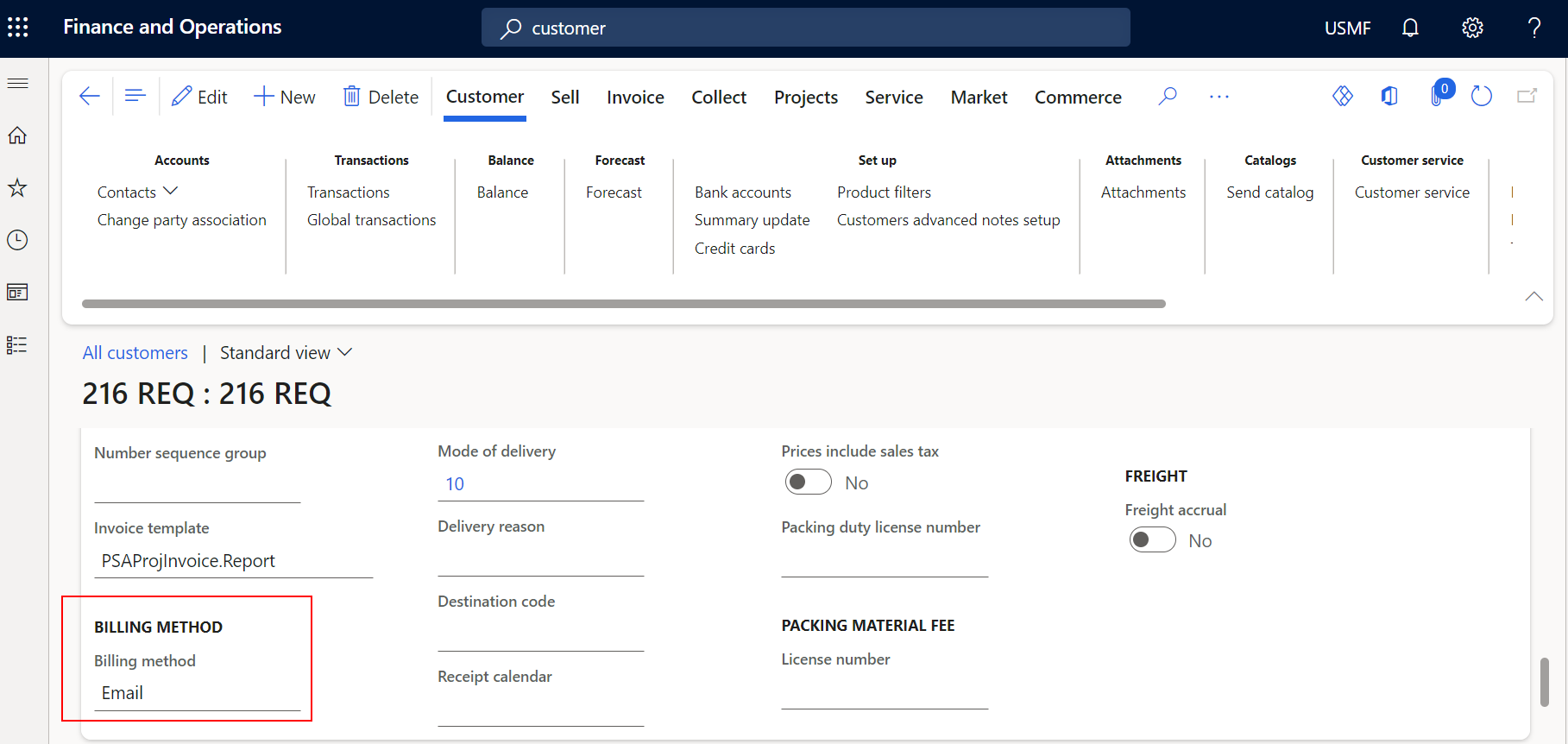
Customer page - Billing method
The default Billing method for each Customer is set up on Customer > Invoice and delivery section > Billing method. Options in the drop-down list are set up in the Billing method page.
Print Management
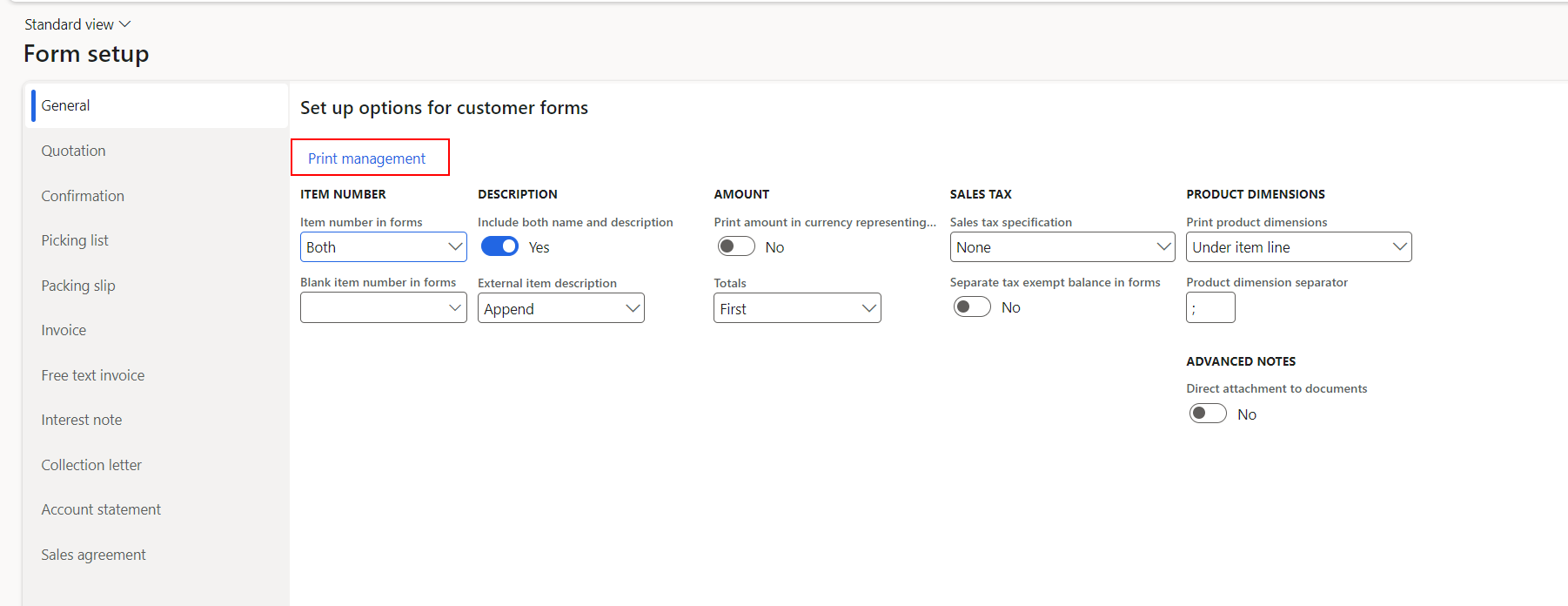
Print Management Setup must be configured to use the Billing method specified in the Customer page.
Navigate to Accounts Receivable > Setup > Forms > Form Setup. Then under "Setup options for customer forms", select the Print management link.
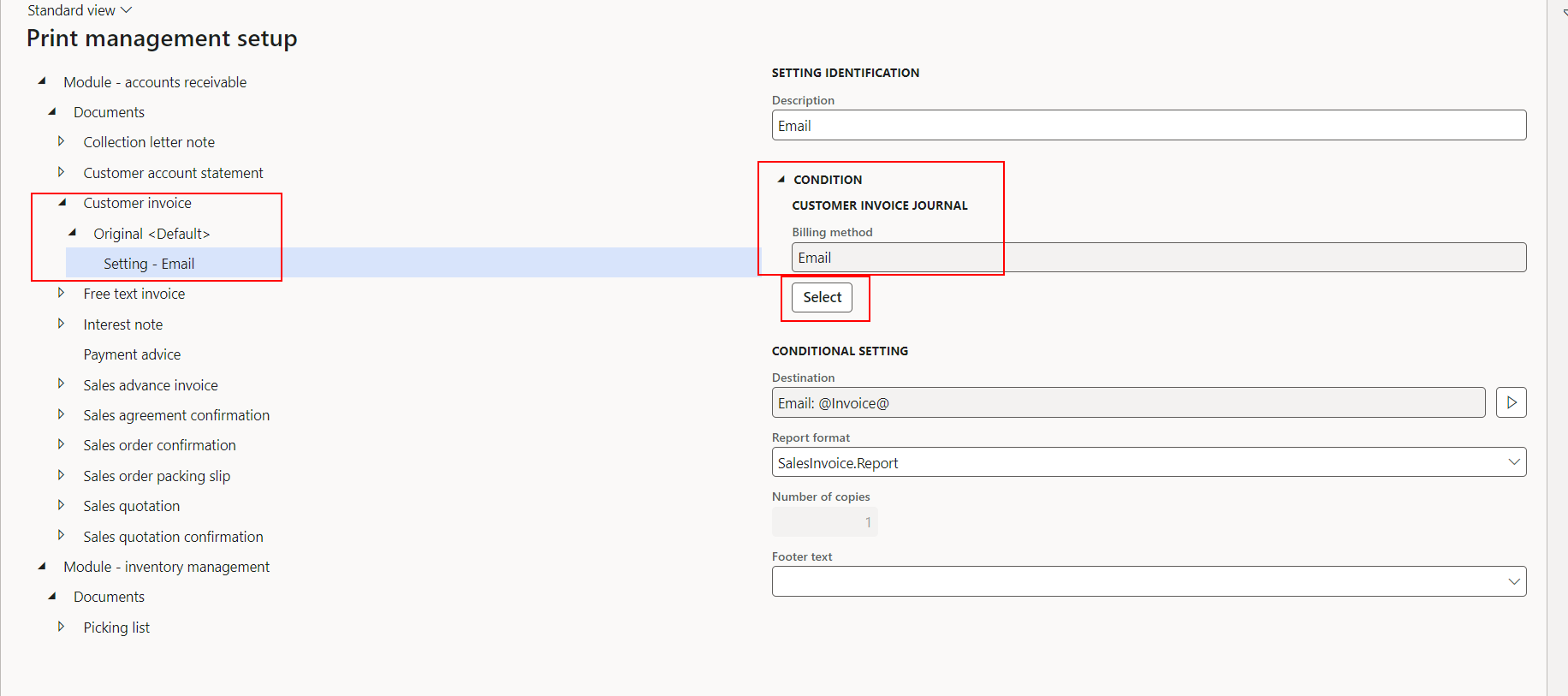
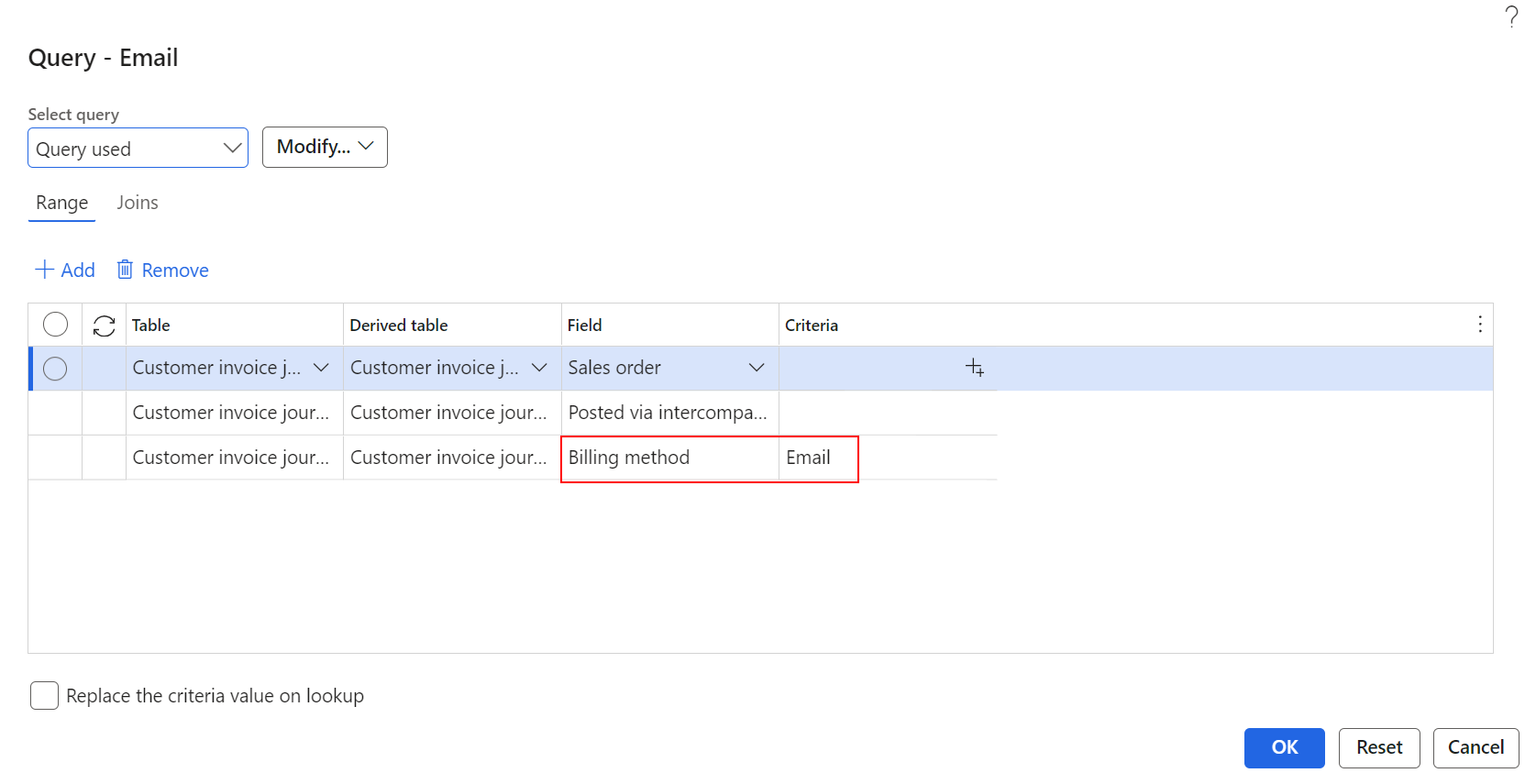
The Print management setup parameters for Customer Invoice must be configured.
Important
It is important to understand that to send emails, the Print management allowed must be enabled in the Billing method parameters page. Just setting the Billing method to Email in Print management parameters for Customer Invoice is not enough to complete the setup. For more information, see: Billing Method Parameters
Sales orders , Invoices and Billing method
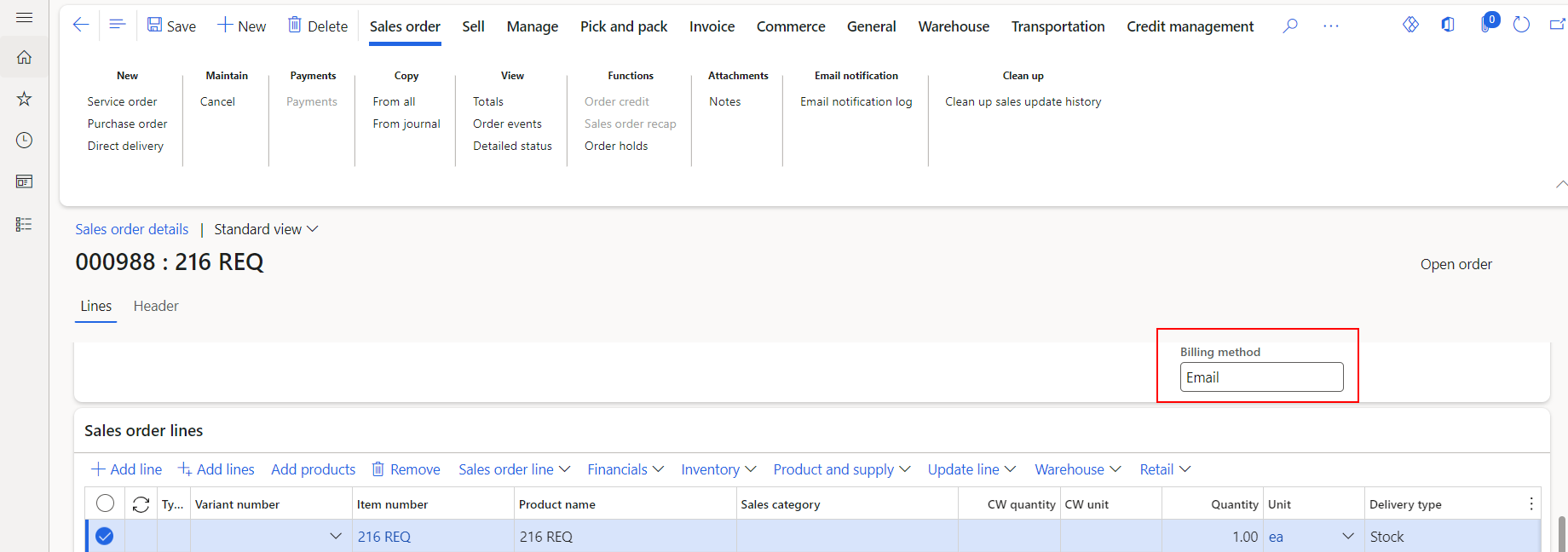
Once the default Billing method is selected on the Customer account, the default Billing method will default into the Billing method field on new Sales orders that are created for that Customer. The value in the field can be edited.
Note
When Posting invoice for the first time, the Use print management destination will default to "No". Each user will need to change this option to "Yes" to use the Print management destination. After the first time, this setting will then default to "Yes".
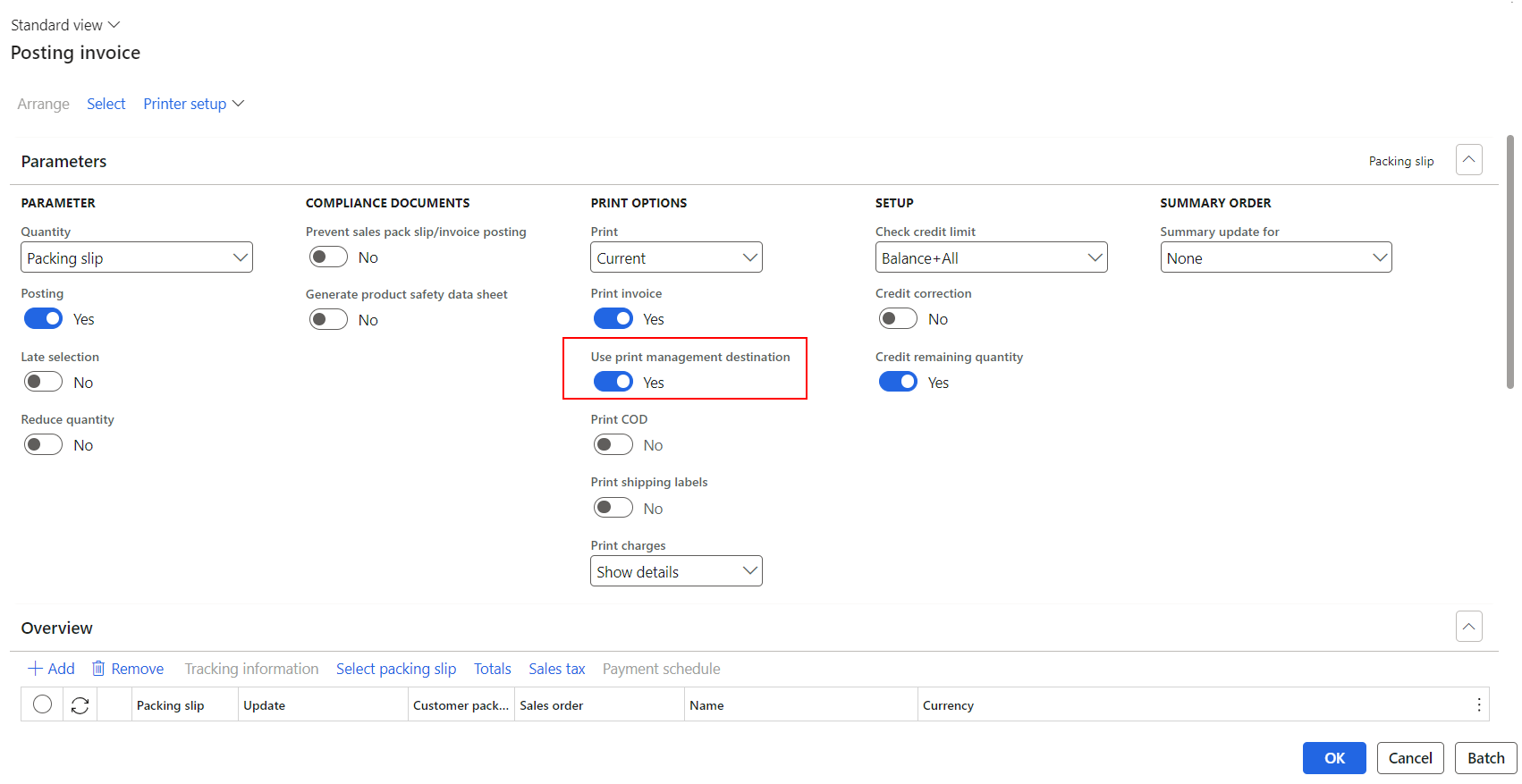
If the Billing method was set to Email, and if Print management destination was enabled for the Email Billing method, when the invoice is printed, it will send an email to the Customer with a PDF of the posted Invoice.