AXIO Finance - Disable Fiscal Period Permanent Close
Dynamics 365 Finance includes a feature that allows the permanent closing of a period. Note that once a period is permanently closed, Dynamics 365 Finance does not allow it to be reopened.
When this feature is turned on, it removes the ability for user to choose the permanent closing feature.
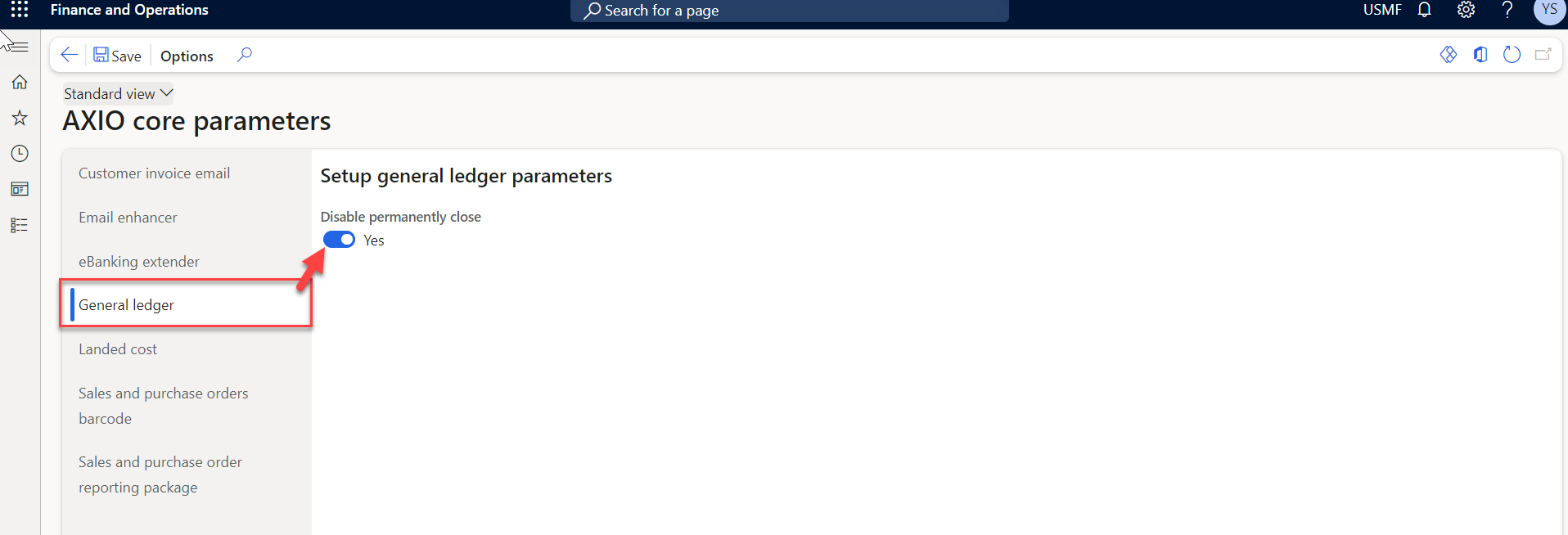
Setup for Disable Fiscal Period Permanent Close is a menu item under AXIO Core Parameters.
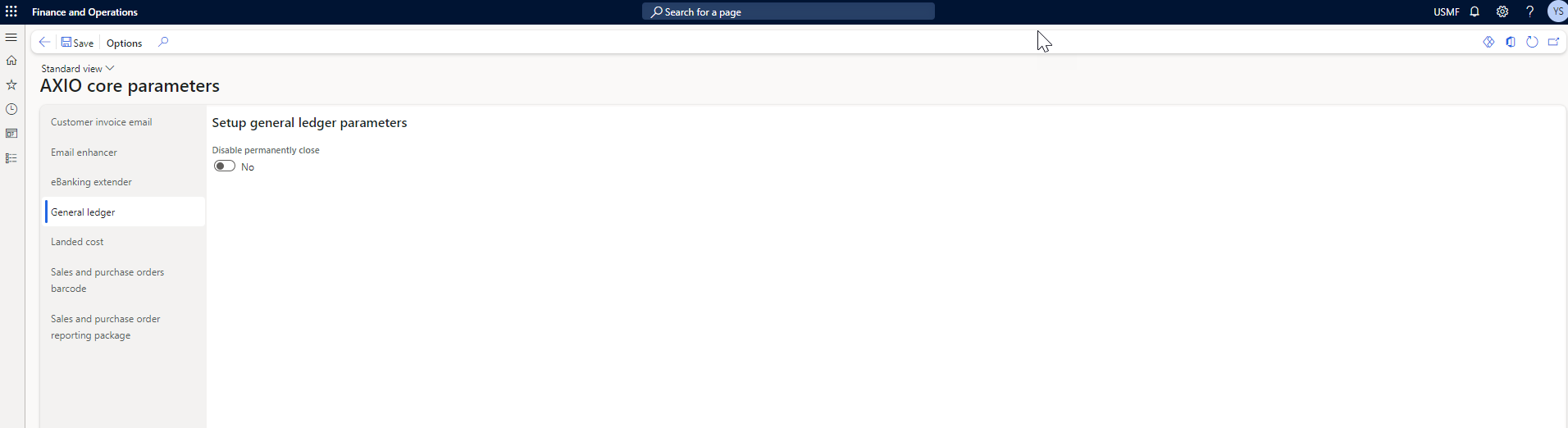
Navigate to: AXIO Core module -> Setup -> AXIO Core Parameters -> General Ledger -> Setup general ledger parameters ->Disable permanently close.
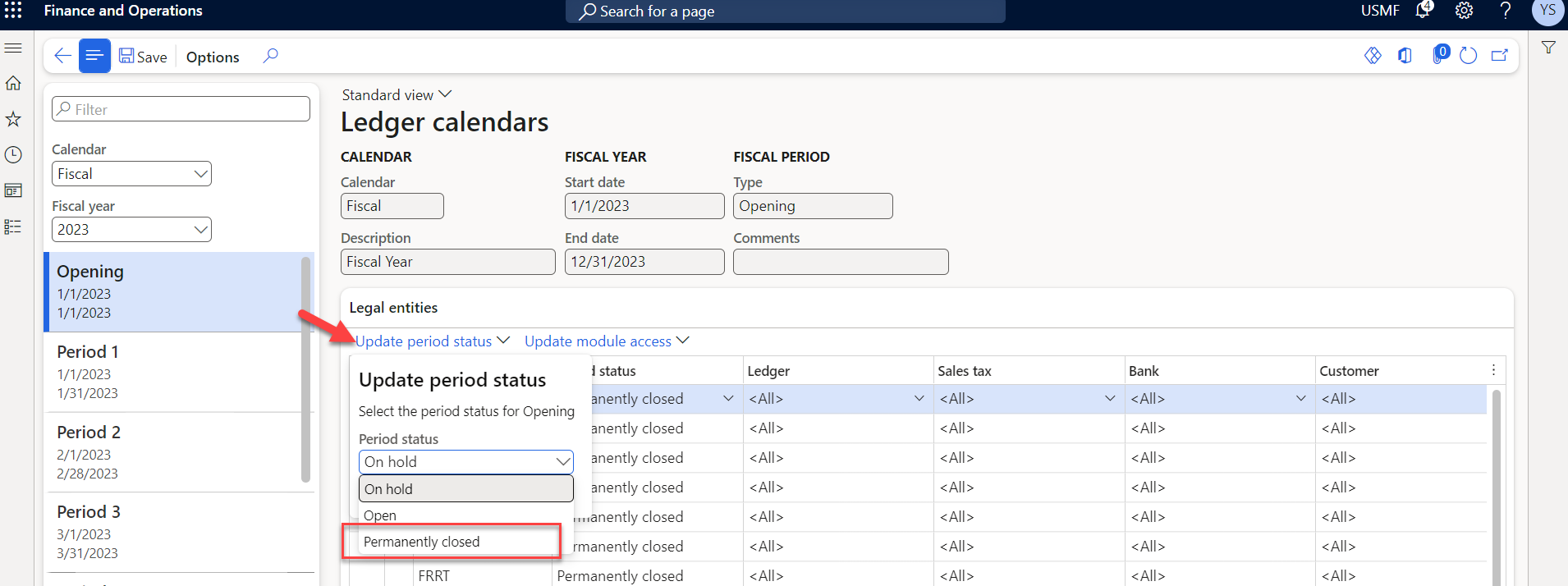
- If Disable permanently close is set to No, then the General Ledger module -> Ledger setup -> Ledger calendars > (select a Period) > Update period status > the option Permanently closed is available to be selected.
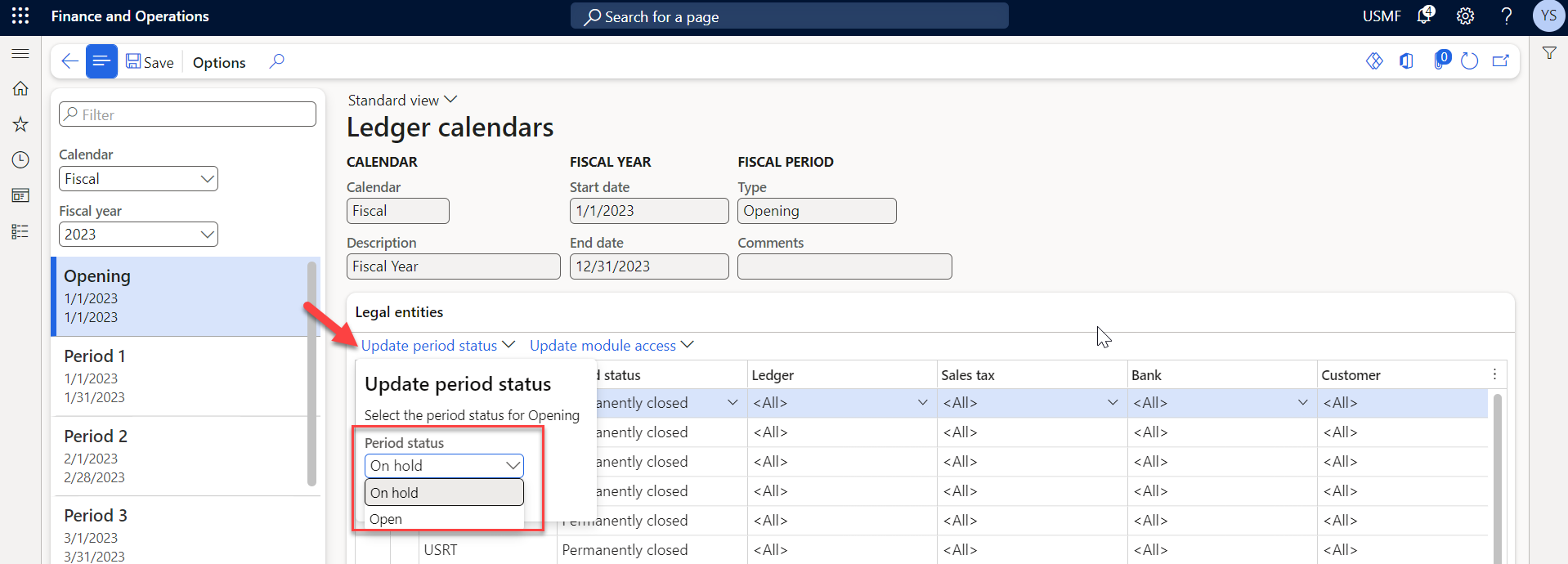
- If Disable permanently close is set to Yes, then the General Ledger module -> Ledger setup -> Ledger calendars > (select a Period) > Update period status > the option Permanently closed is hidden from the menu and not available to be selected.