AXIO Finance - eBanking Extender app
Overview
The standard Positive Pay file format doesn’t meet the requirements in terms of file structure. Therefore, for the bank to be able to process the Positive Pay file, the format in Microsoft Dynamics 365 Finance must be adjusted according to the specification. In the eBanking Extender App, the Positive Pay file formats that are acceptable by the banks are available. An organization with little or no changes can use these files for various banks and financial institutions.
Supports Positive Pay files (Manual): JPM, PNC & Sun Truist. . These files seamlessly import and add on to the standard Microsoft Dynamics 365 Finance.
Supports NACHA files email notifications with multiple storage options:
Azure Blob, SFTP
Direct process to bank via Logic Apps
Define bank calendars and delay vendor payments
Setup and file generation
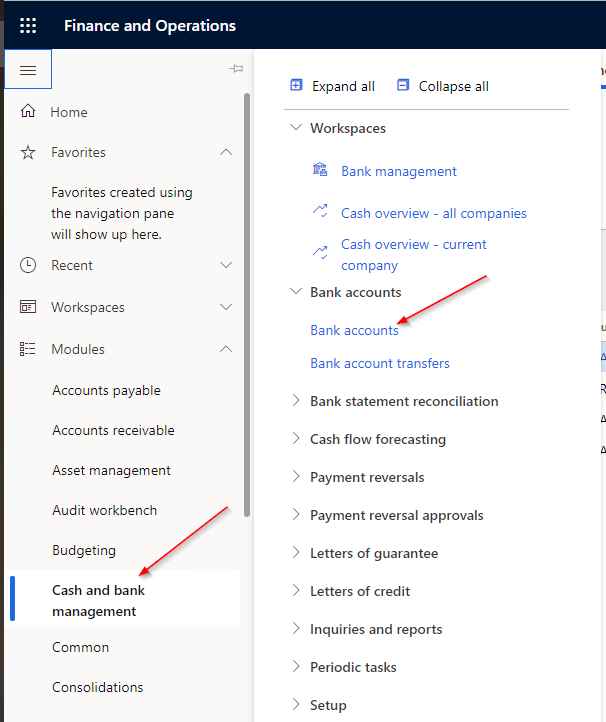
Navigate to Cash and bank management -> Bank accounts -> Bank accounts
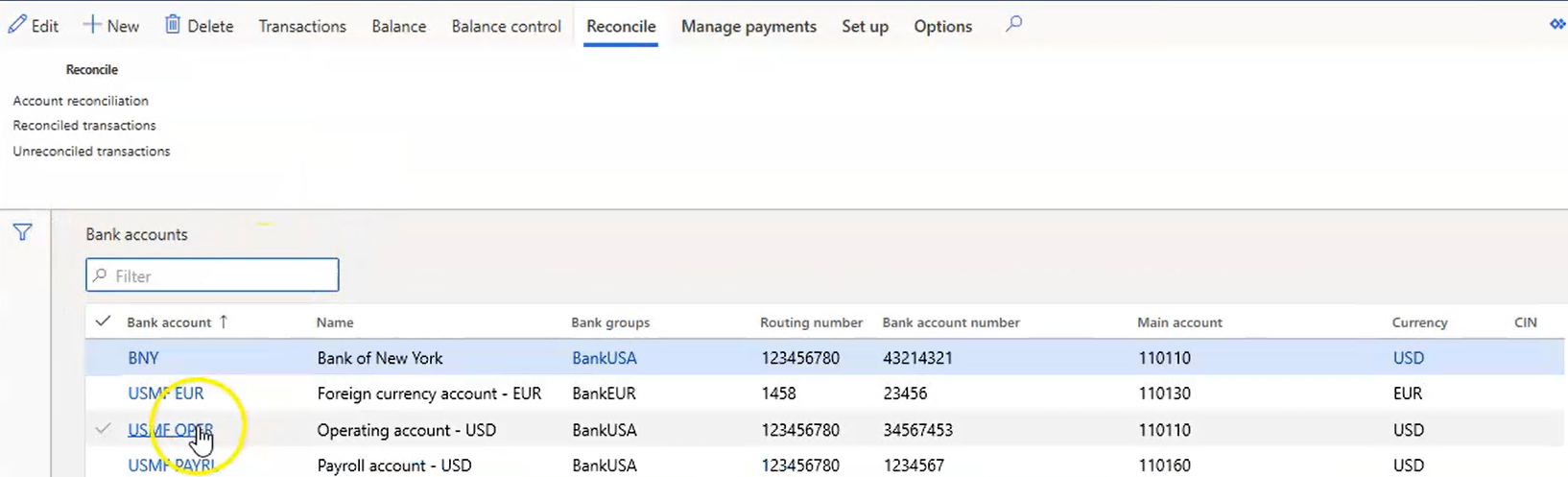
The list of Bank accounts displays. Select a specific Bank account.
The information for that Bank account displays. You must check the Custom Positive Pay file selector and select from the list of formats under Custom positive pay format.
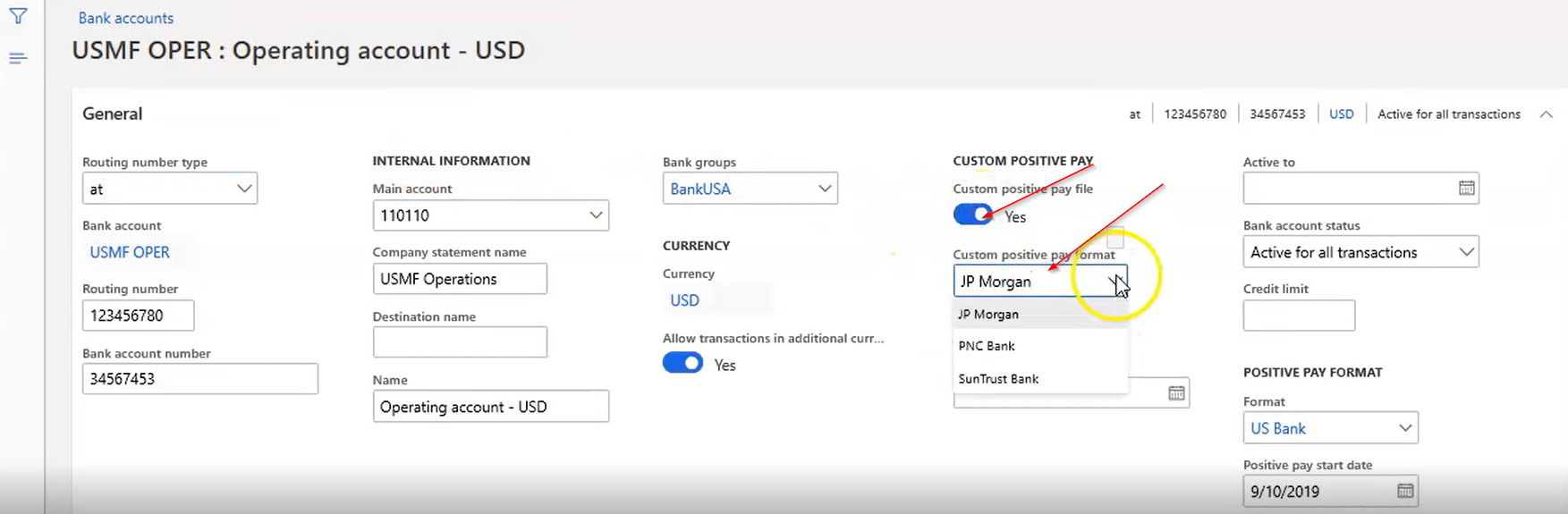
- Current formats are:
• JP Morgan
• PNC Bank
• Suntrust Bank
Select Management Payments -> Positive Pay.

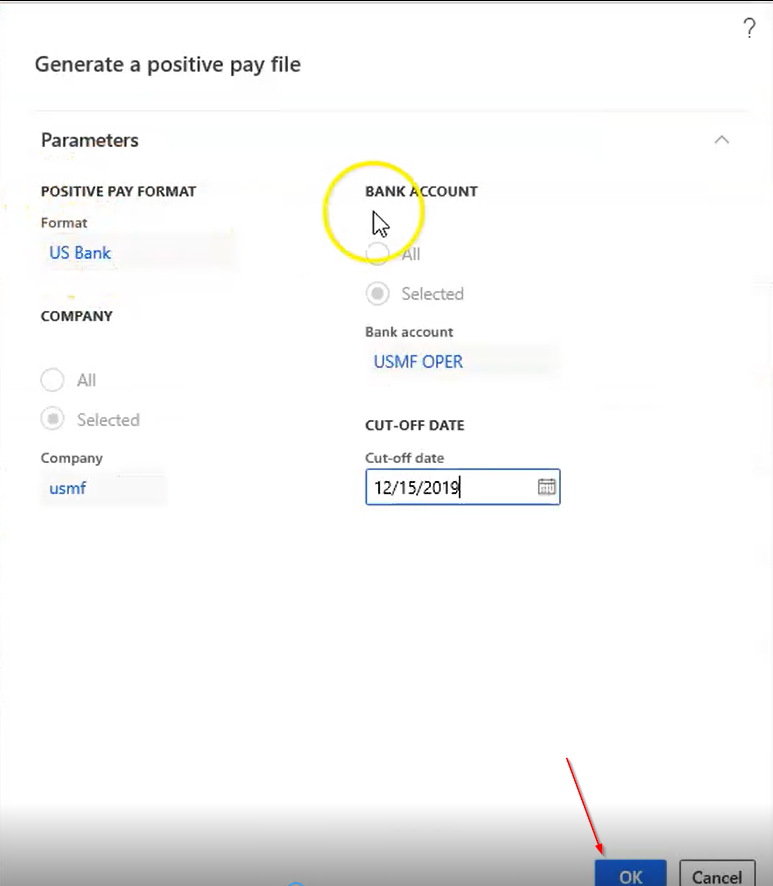
Select Generate positive pay file.
Fill in the information and click OK. The custom Positive Pay file is generated.
A prompt displays to save the file. The custom Positive Pay file opens

This file can be sent to the bank.