AXIO Distribution - Advanced Pricing Setup
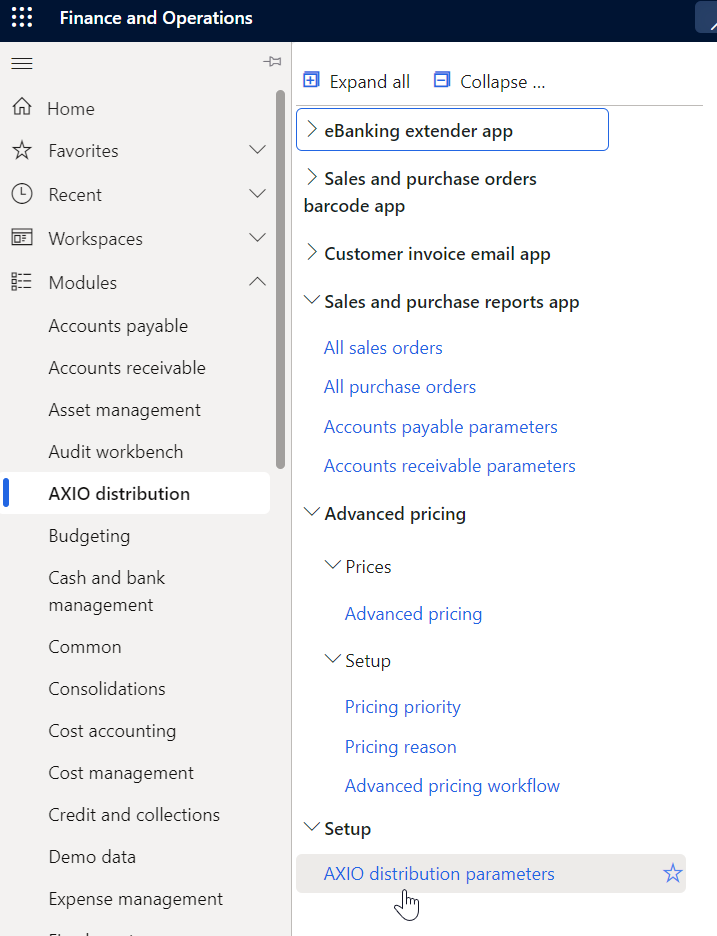
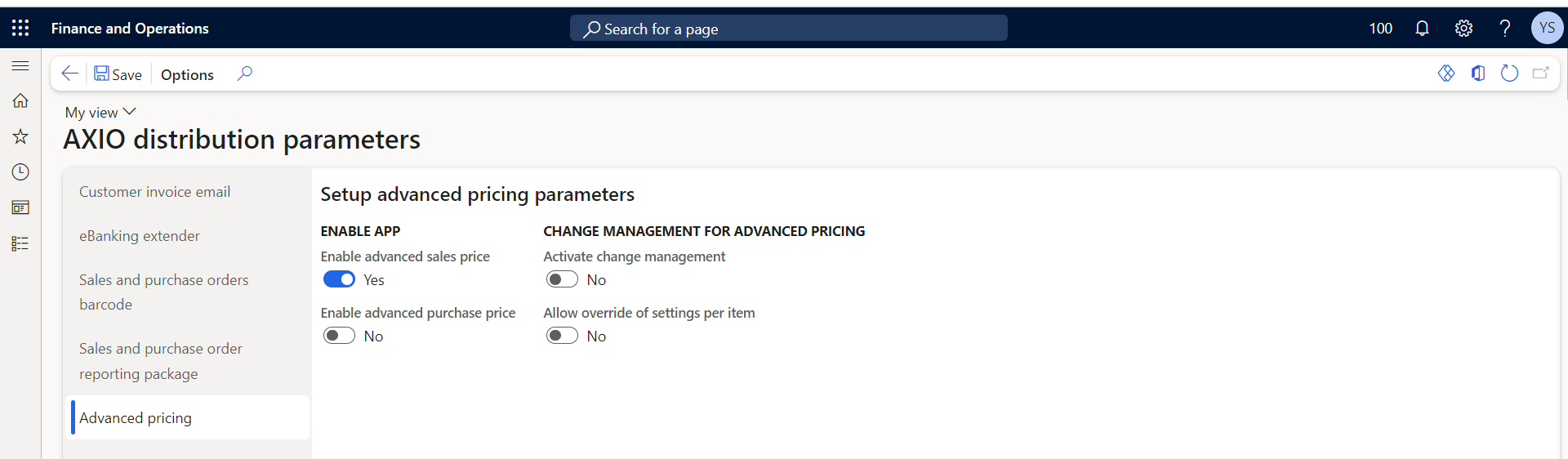
Step-1 - Enable the application
Navigate to: AXIO Distribution module -> Setup -> AXIO Distribution parameters -> Advance pricing -> Enable the application
Note
If the user needs to run Workflow they can enable the Activate change management toggle. Click Save and close.
Step-2 - Define Pricing Priority
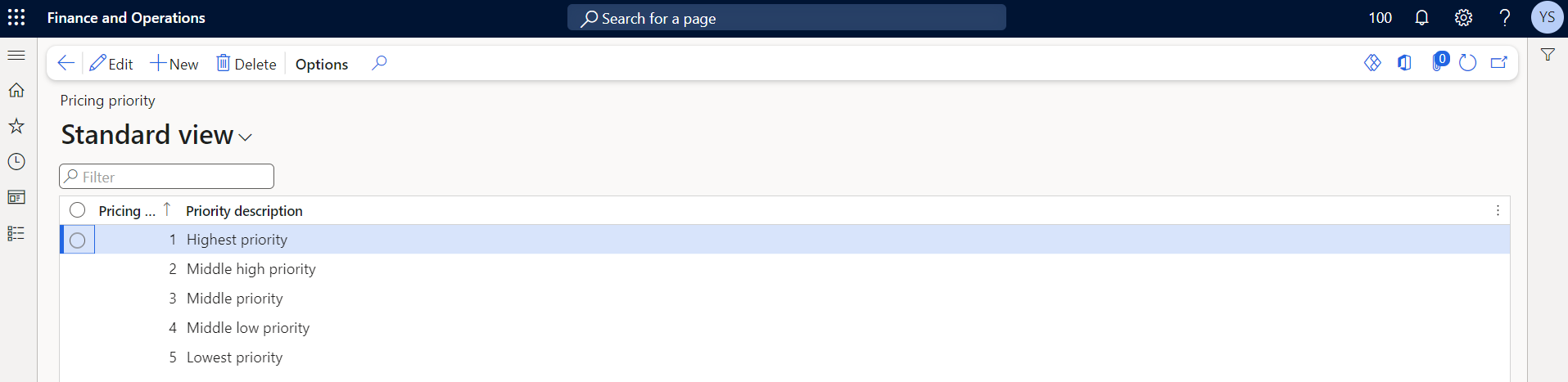
Navigate to Advance pricing -> Setup -> Price Priority
Define the Pricing priority and Priority description and click Save.
Step-3 - Define Price Reason and Description
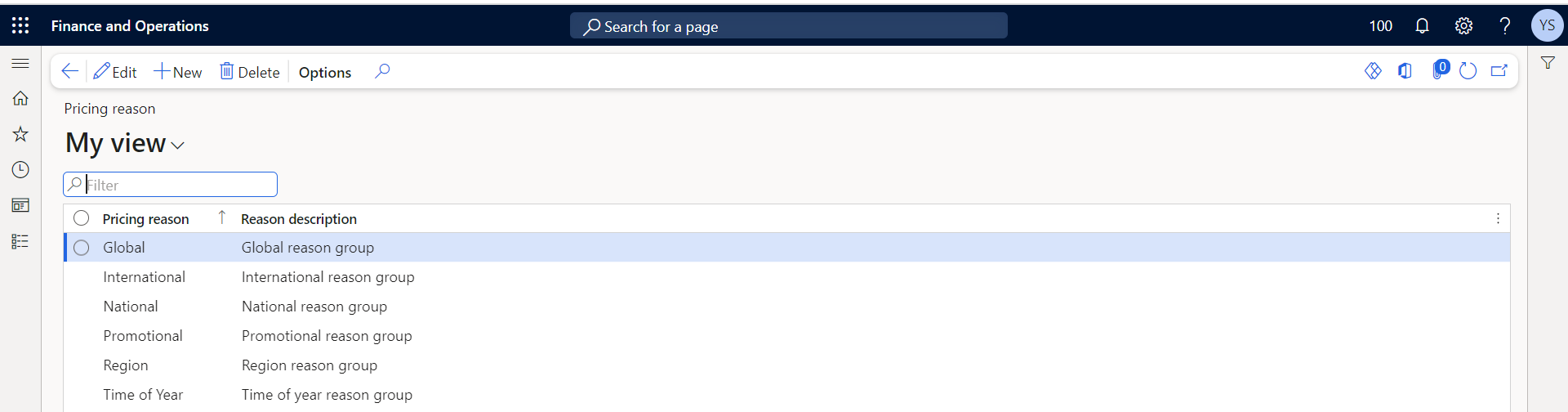
Navigate to Advance pricing -> Setup -> Price reason
Define the Price reason and Reason description.
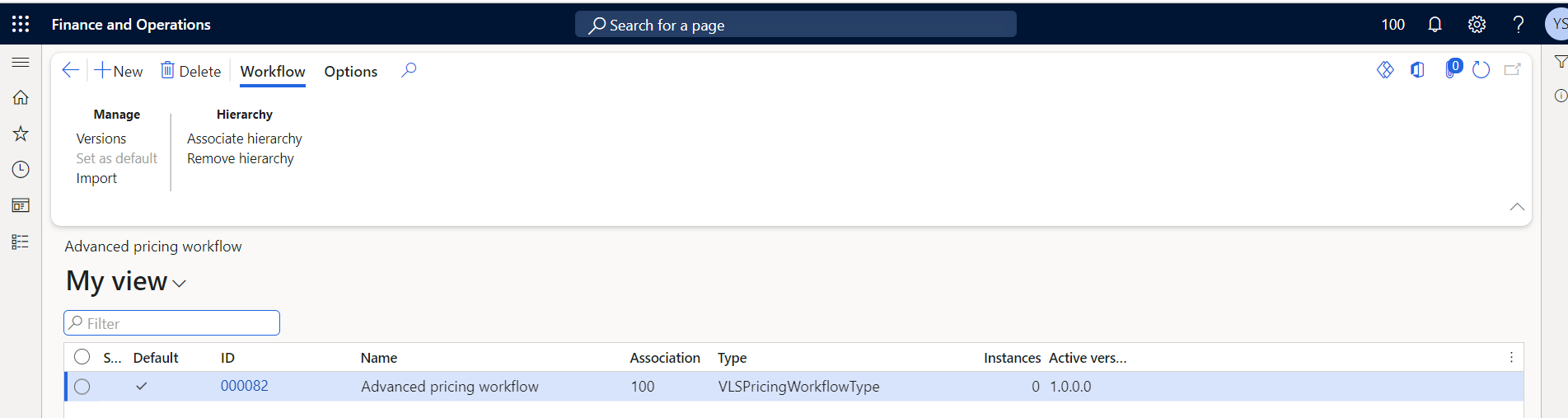
Step-4 - Add Workflow
Navigate to Advance pricing -> Setup -> Advance pricing workflow
Add the Workflow version.
See also